Open Eazyle Finance first, then scale into executive and reporting flows.
This path is for owners, operators, and internal finance teams who need the main accounting workspace, billing setup, operational workflows, and organization controls from day one.
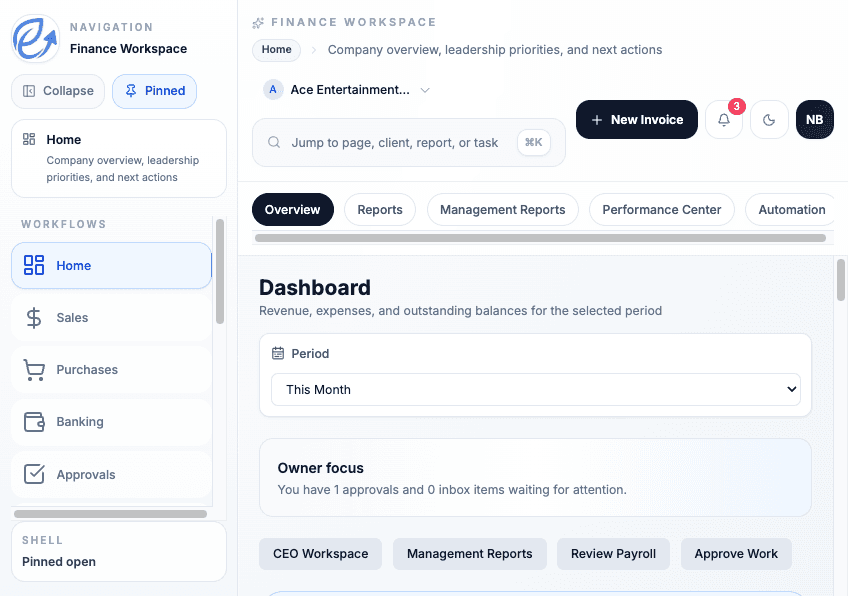
Live workflow view
Show the full business picture.
Business users need to see cash, queue pressure, transactions, and reporting in one dashboard, not on a stripped-down marketing page.
Why This Path
Start with the workflows this audience actually needs first.
Run day-to-day finance work without losing the big picture
Start from Eazyle Finance, keep cash, payables, approvals, and reporting connected, and move into detail only when the queue needs it.
Set up billing, controls, and reporting from one place
Business users can create the company account, pick the initial plan, set accounting defaults, and move directly into Eazyle Finance.
Keep operators and executives on the same numbers
Eazyle Finance, Eazyle Executive, and management reports all read from the same underlying accounting and workflow activity.
Common Journeys
Move through the right sequence without rebuilding context.
Create the company account and open the books
Start with business signup, move through onboarding, set the accounting profile, and open Eazyle Finance with the right defaults in place.
Run sales, purchases, banking, and close from one workspace
Use Eazyle Finance for invoicing, expenses, payables, reconciliation, approvals, and the operational queues that keep finance moving.
Hand off to executive review without rebuilding reports
When leadership needs a reduced-noise view, the same account can open Eazyle Executive for KPI, receivables, and management report review.
Ready To Start